


 Transfer
Choosing the right order type helps you manage how and when your futures trades are executed. Each order type offers different levels of price control and execution flexibility.
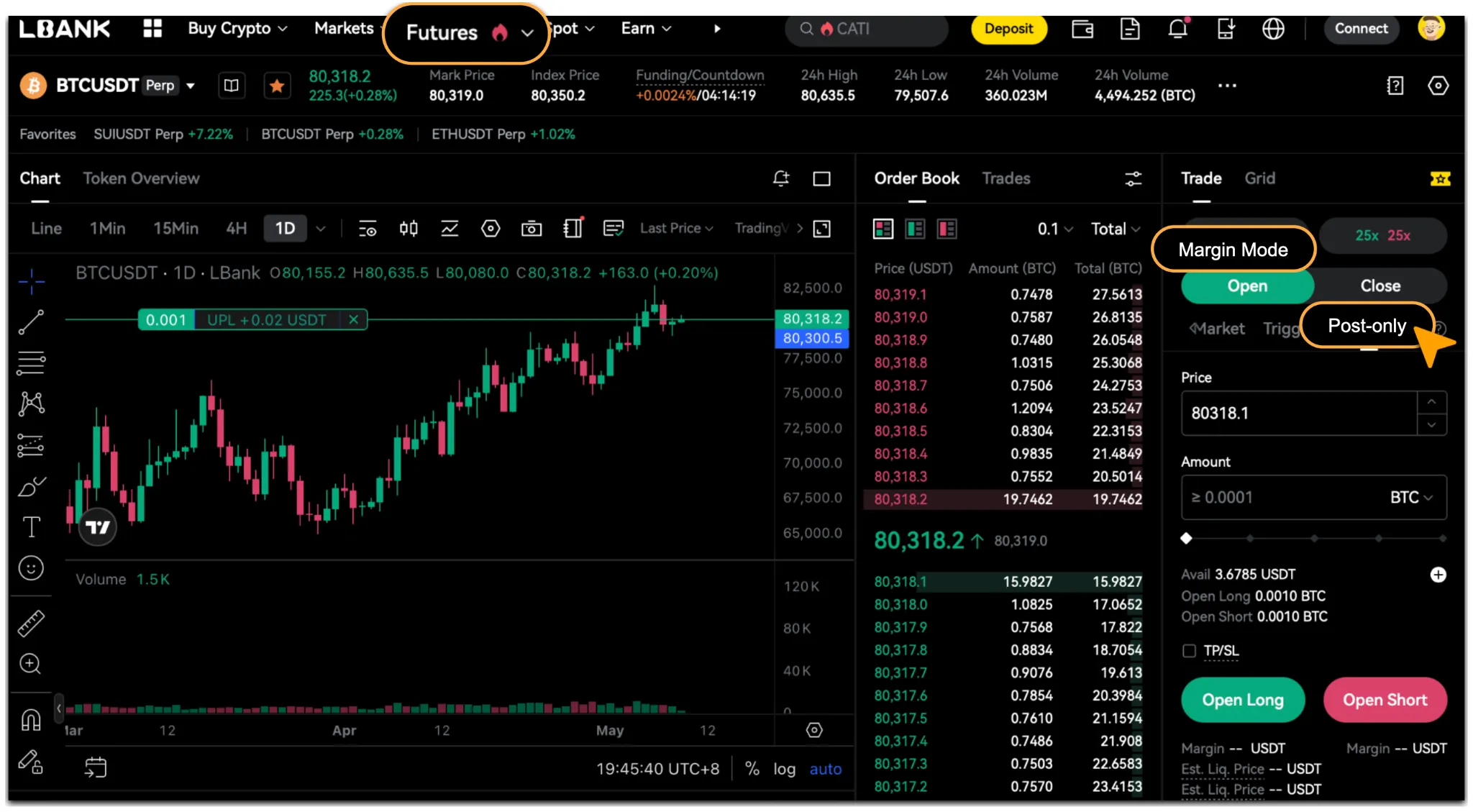
LBank Futures supports four order types: market orders, limit orders, trigger orders, and post-only orders. This guide explains how they work, when to use them, and how to place them.
Note: When placing a limit order or trigger order, you can select the order’s time-in-force setting to suit your trading needs.
Market Order & Limit Order
Market orders prioritize execution speed, while limit orders give you greater control over the execution price.
Key Differences
What Is a Market Order?
A market order buys or sells at the best available prices without requiring you to specify an order price. It is designed for traders who want to open or close a position quickly.
The final execution price depends on market conditions, order book depth, and available liquidity. As a result, it may differ from the last traded price displayed when you place the order.
Tips for Market Order
Before placing a market order, consider the following:
-
Slippage: Low liquidity, large order sizes, or sharp market movements may cause the execution price to differ significantly from the last traded price.
-
Partial fills and cancellation: If the system determines that execution at the available prices could result in insufficient margin, the order may fill only partially at the best available order book price. Any unfilled portion will be canceled automatically.
-
Execution restrictions: During extreme volatility, a wider bid-ask spread may cause the best available buy or sell price to deviate substantially from the mark price. In these circumstances, risk controls may prevent a market order from being executed.
How to Place a Market Order
-
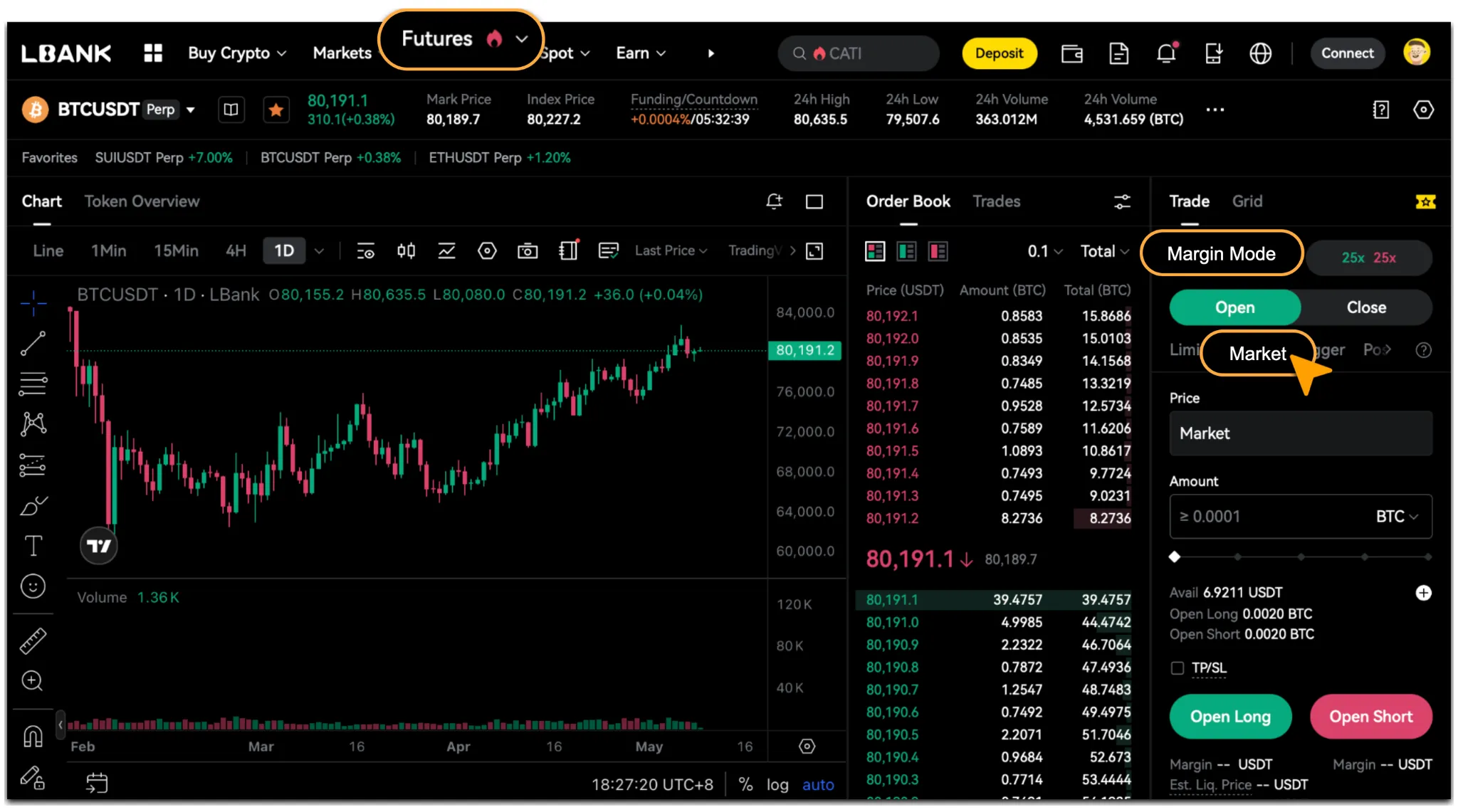
Open the order panel for your selected futures trading pair and check「Margin Mode」.
-
Select「Market」.
-
Enter the order quantity.
-
Click「Open Long」or「Open Short」, then click「Confirm」to submit the order.
What Is a Limit Order?
A limit order allows you to set the price at which you want to buy or sell. It can execute only at your specified price or better.
Limit orders give you greater control over the execution price, but they do not guarantee a fill. Depending on market conditions and available liquidity, an order may fill fully, fill partially, or remain unfilled.
How to Place a Limit Order
-
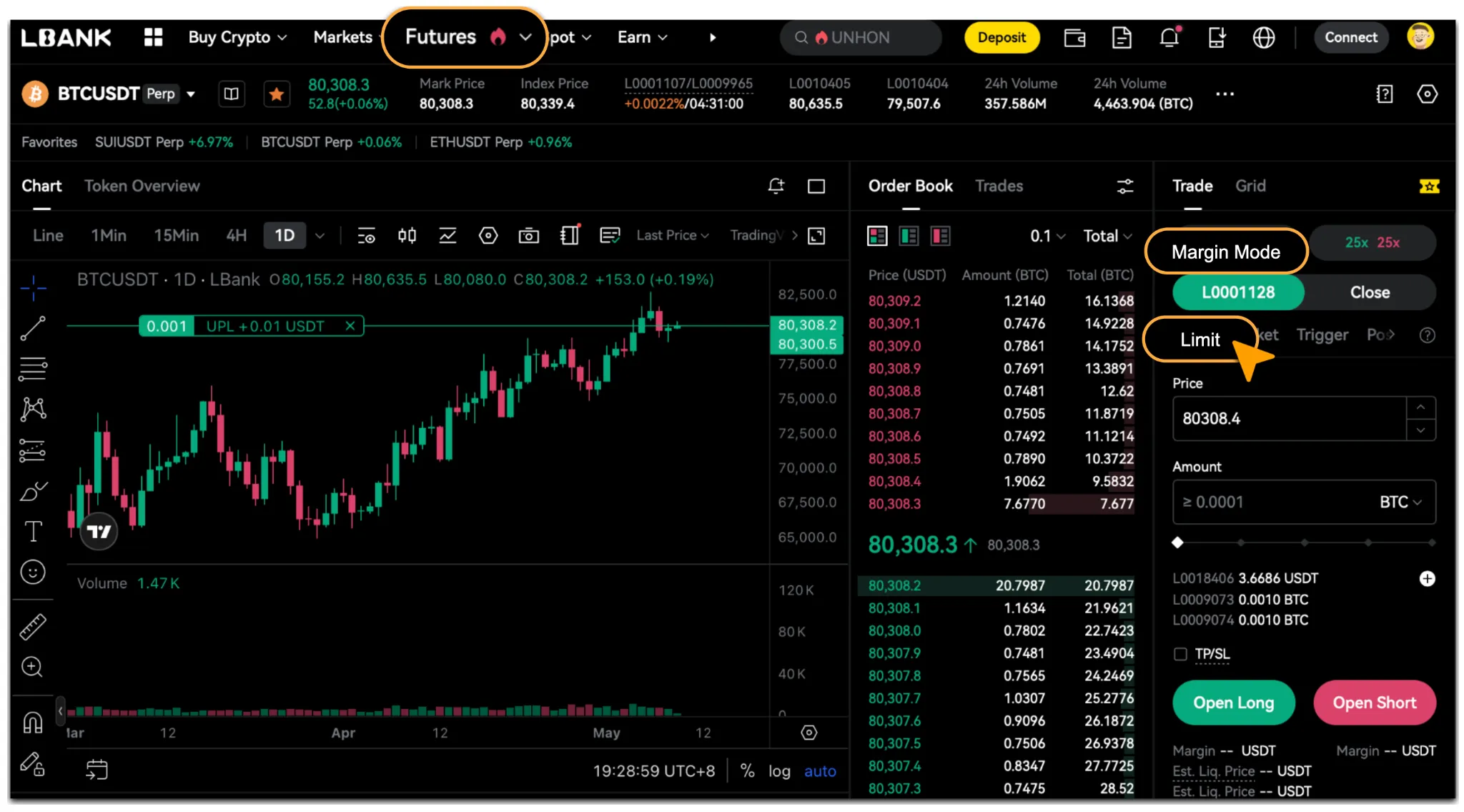
Open the order panel for your selected futures trading pair and check「Margin Mode」.
-
Select「Limit」.
-
Enter the price and quantity.
-
Click「Open Long」or「Open Short」, then click「Confirm」to submit the order.
Trigger Order & Post-Only Order
Trigger orders and post-only orders provide additional control over when an order is submitted and how it enters the order book.
Key Differences
What Is a Trigger Order?
A trigger order allows you to set a trigger price in advance. When the trigger condition is met, the system submits a market or limit order according to your settings.
Trigger orders can be used to take profit, limit losses, or automate the opening and closing of positions under specified market conditions.
How to Use a Trigger Order
-
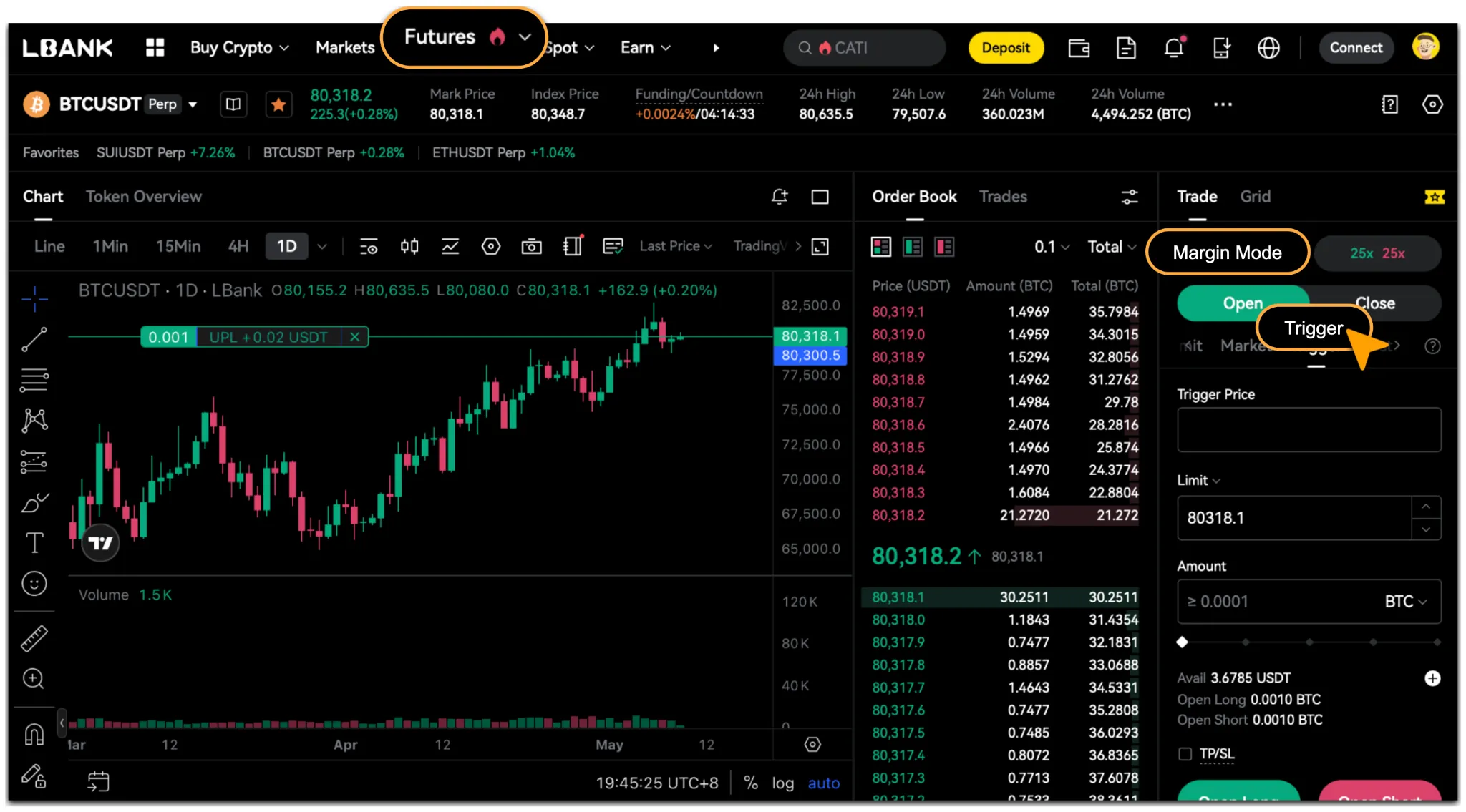
Open the order panel for your selected futures trading pair and check「Margin Mode」.
-
Select「Trigger」.
-
Enter the trigger price, order price, and quantity.
-
Click「Open Long」or「Open Short」, then click「Confirm」to submit the order.
What Is a Post-Only Order?
A post-only order is placed in the order book only if it will not immediately match an existing order. If it would execute immediately, the system automatically cancels it.
The key principle is maker-only execution: the order must add liquidity to the order book rather than take existing liquidity.
How to Place a Post-Only Order
-
Open the order panel for your selected futures trading pair and check「Margin Mode」.
-
Select「Post Only」.
-
Enter the price and quantity.
-
Click「Open Long」or「Open Short」, then click「Confirm」to submit the order.
Trading Tips
Choose an order type based on your execution priorities:
-
Market order: When execution speed is your priority.
-
Limit order: When you want to control the execution price.
-
Trigger order: When you want an order submitted automatically after a price condition is met.
-
Post-only order: When you want an order to enter the order book without executing immediately.
Reminder
When using market orders, consider current liquidity and manage your leverage and order size carefully. During periods of high volatility, using limit orders or splitting a large order into smaller orders may help reduce slippage and market impact.
No single order type is best for every situation. Understanding how each works can help you choose an approach that matches your trading needs and manage execution risks more effectively.